Nono AI Summary app icon Nono AI Summary — Official Website

AI Dictation, Audio to Text

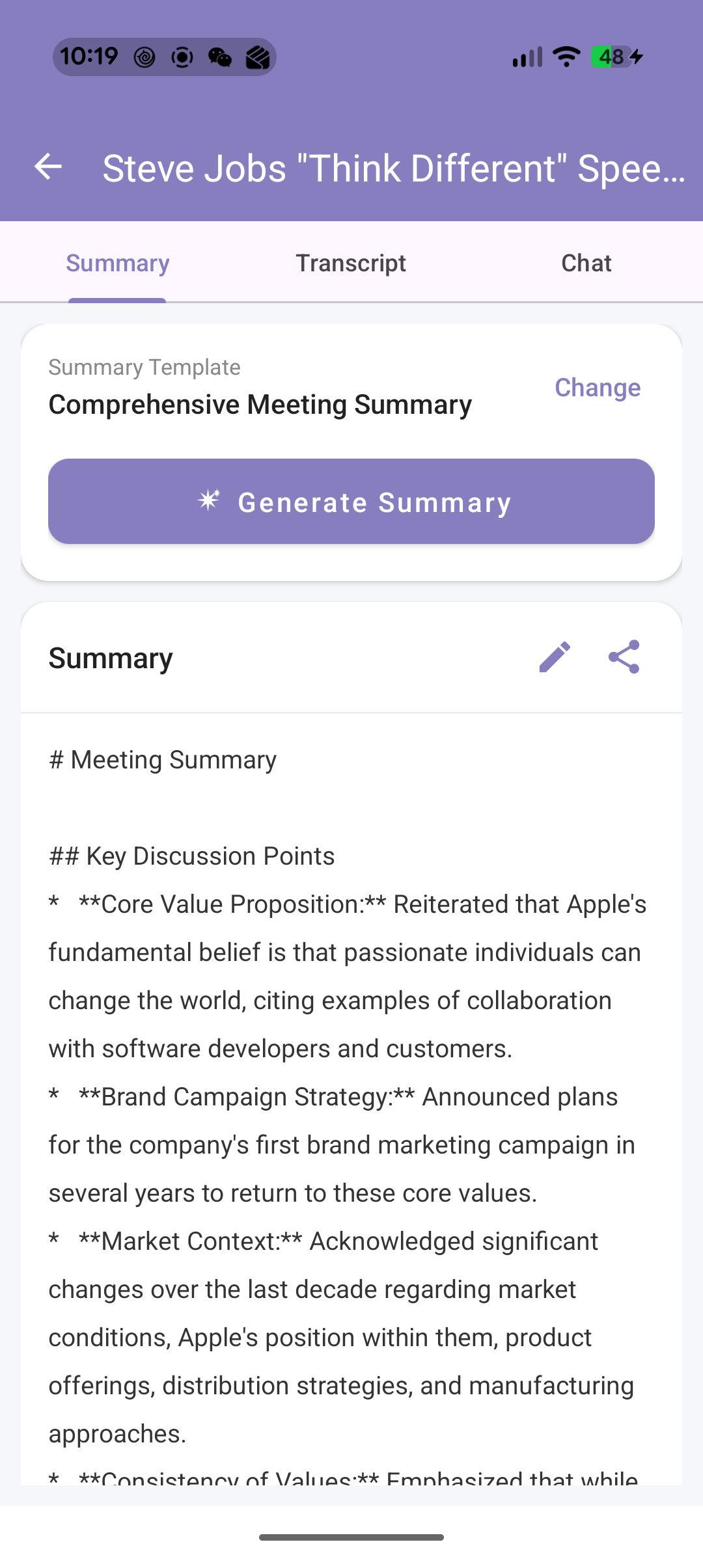
Turn every conversation into organized, searchable text and smart summaries—meetings, lectures, interviews, or ideas on the go. Live transcription, on-device Whisper AI (works offline), 16 professional AI summary templates, and chat with your recordings.

Official download hub: sopay.us/official · Seller: Butterfly AI LLC · Requires iOS 16+ (iPhone/iPad)

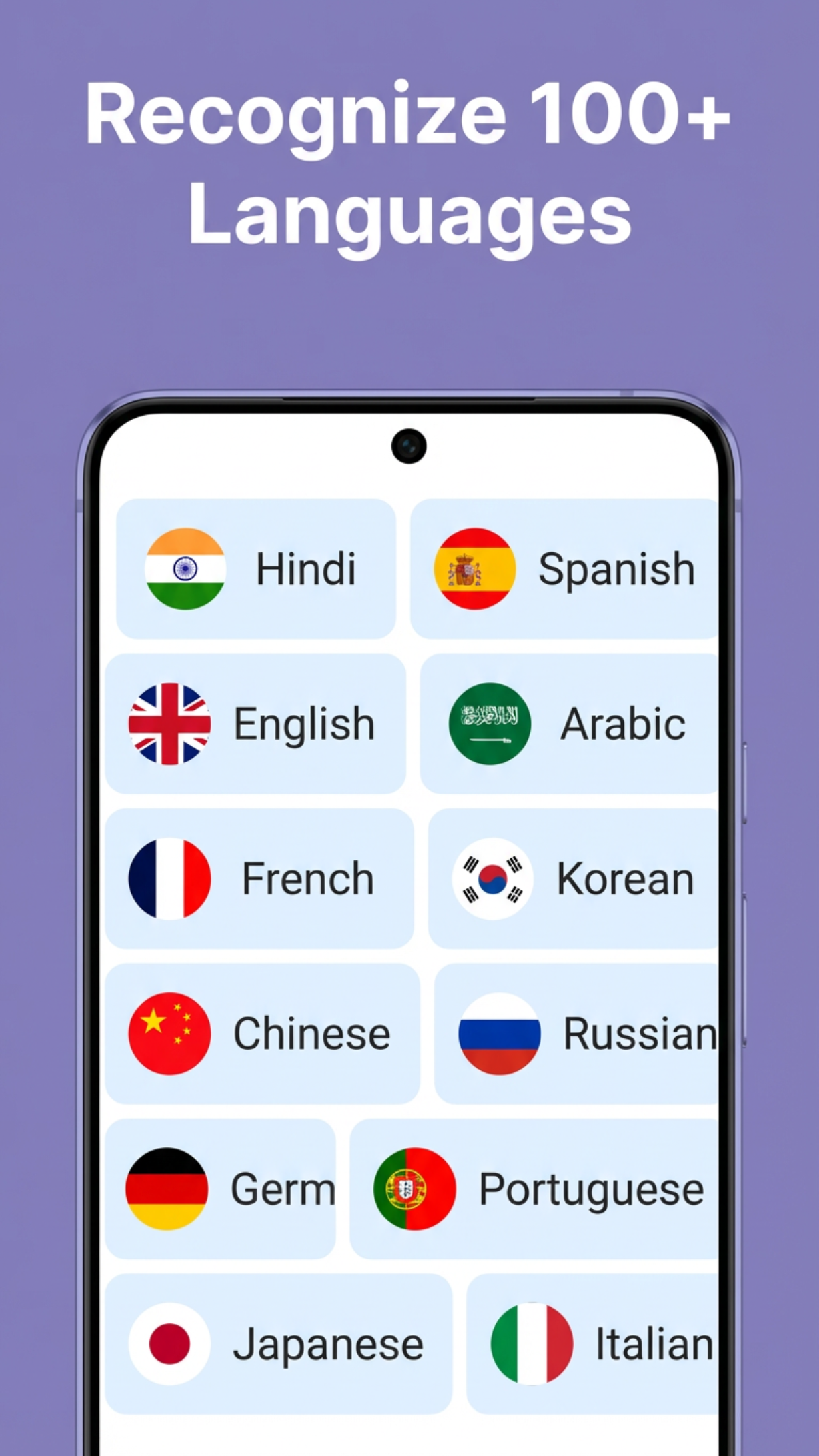
🌍 Supports 99+ Languages

What you get (from the App Store)

The bullets below mirror how Apple describes Nono AI Summary: Voice to Text—live transcription, offline Whisper AI, summaries, and chat.

🎙

Recording

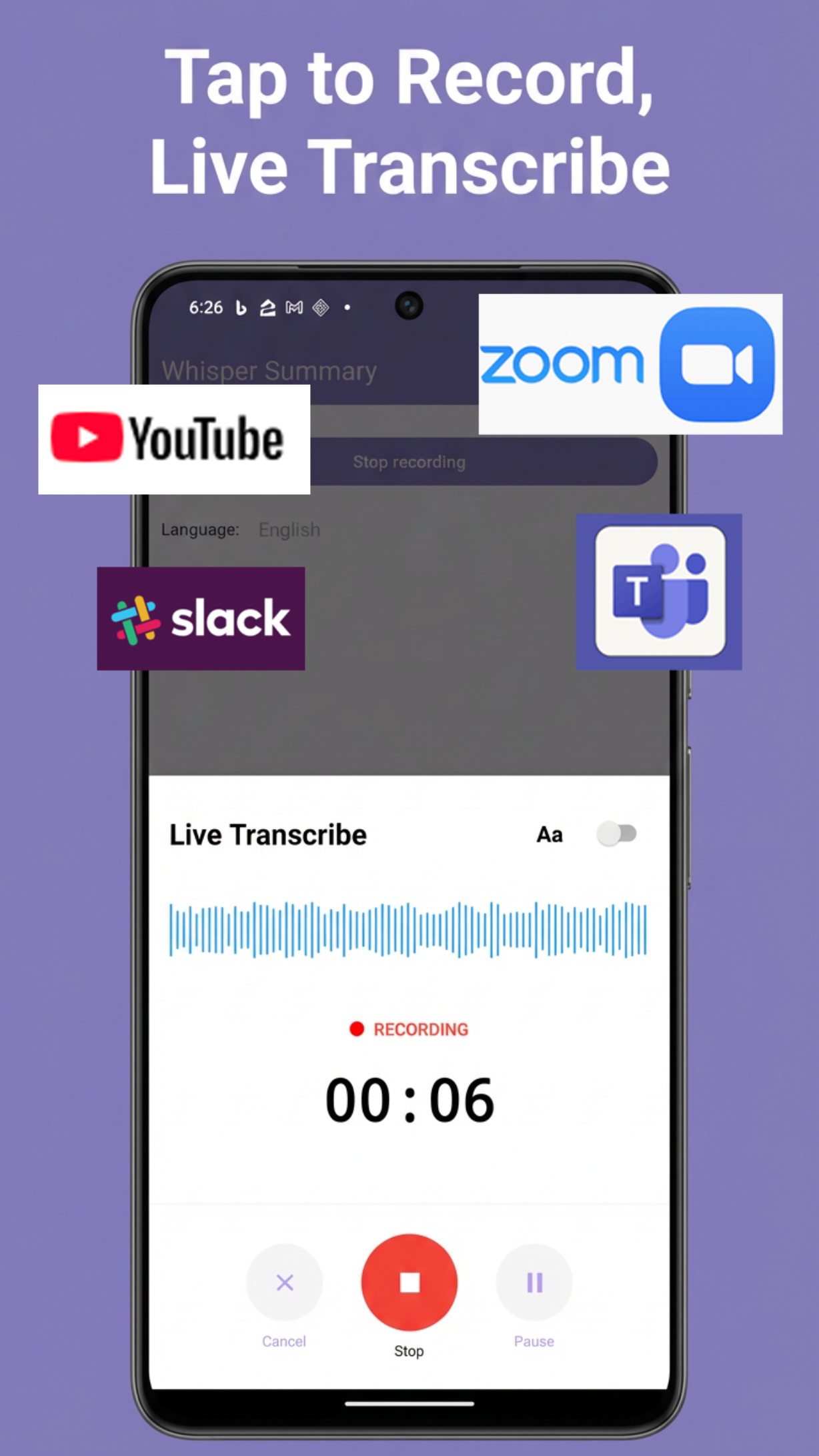
One-tap recording, live transcription as you speak, pause/resume, waveform feedback, 99+ languages.

Transcription

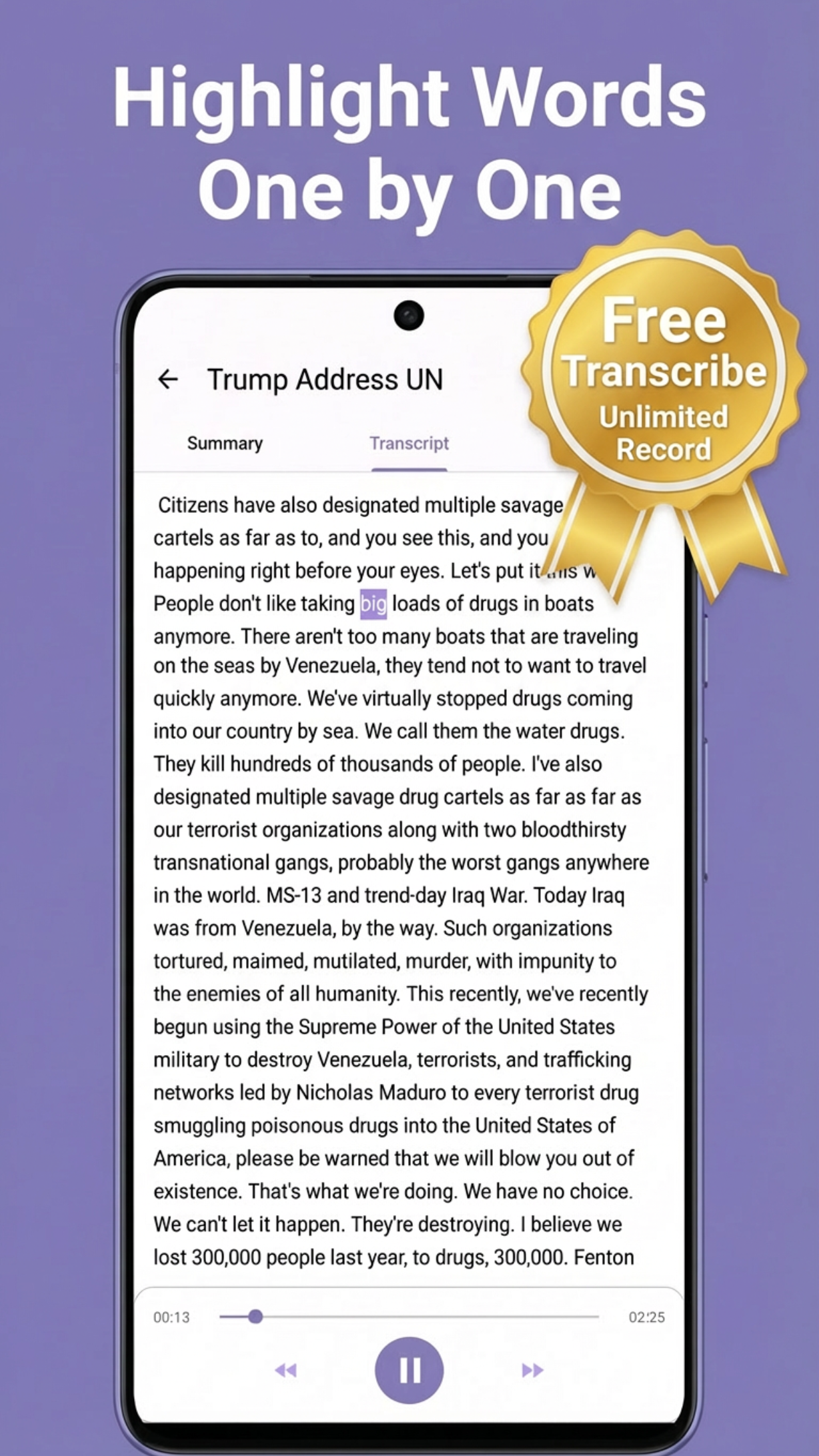
On-device Whisper transcription offline; word-by-word timing; tap a word to jump in the audio; cleanup for readable text.

📑

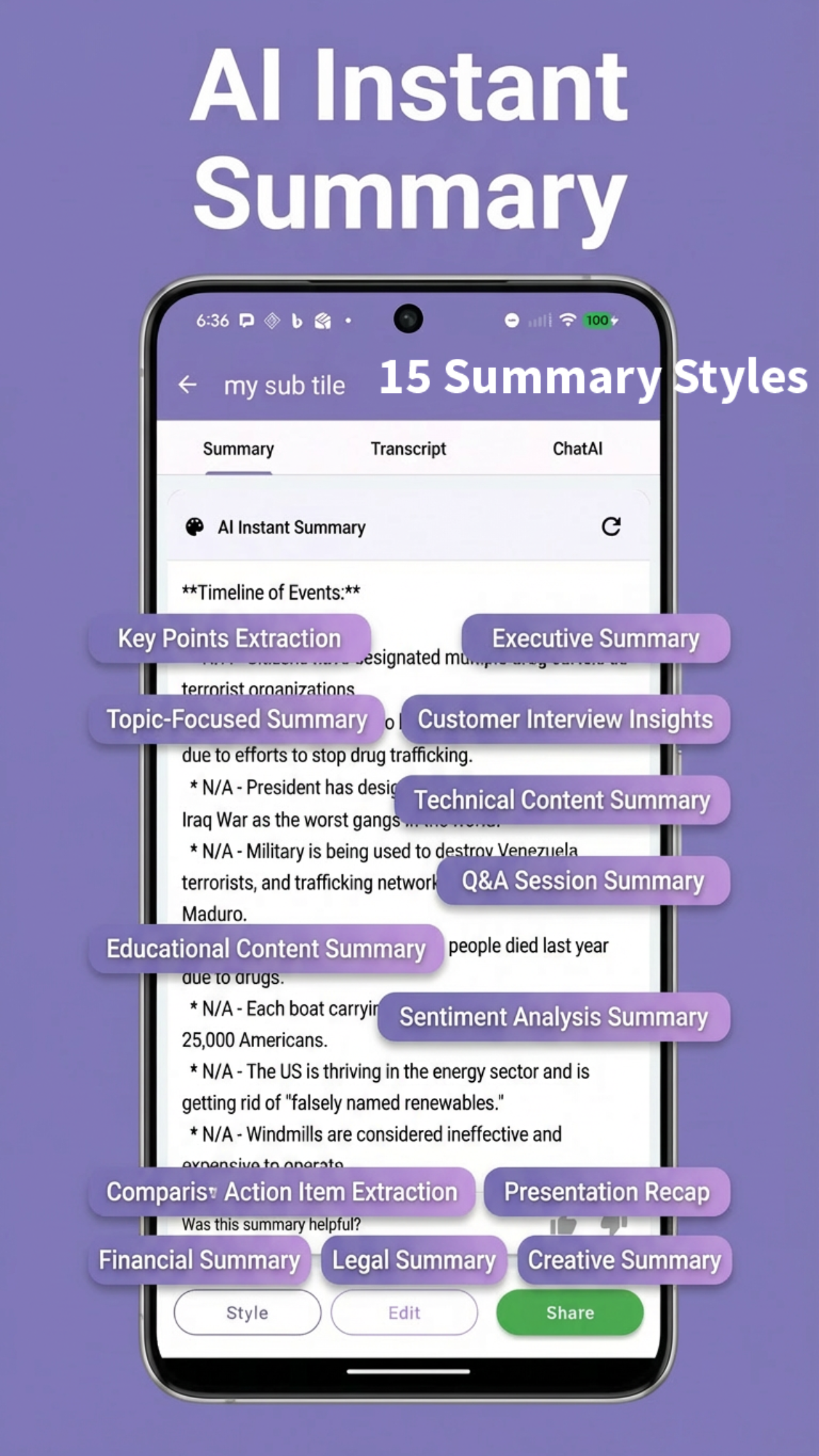
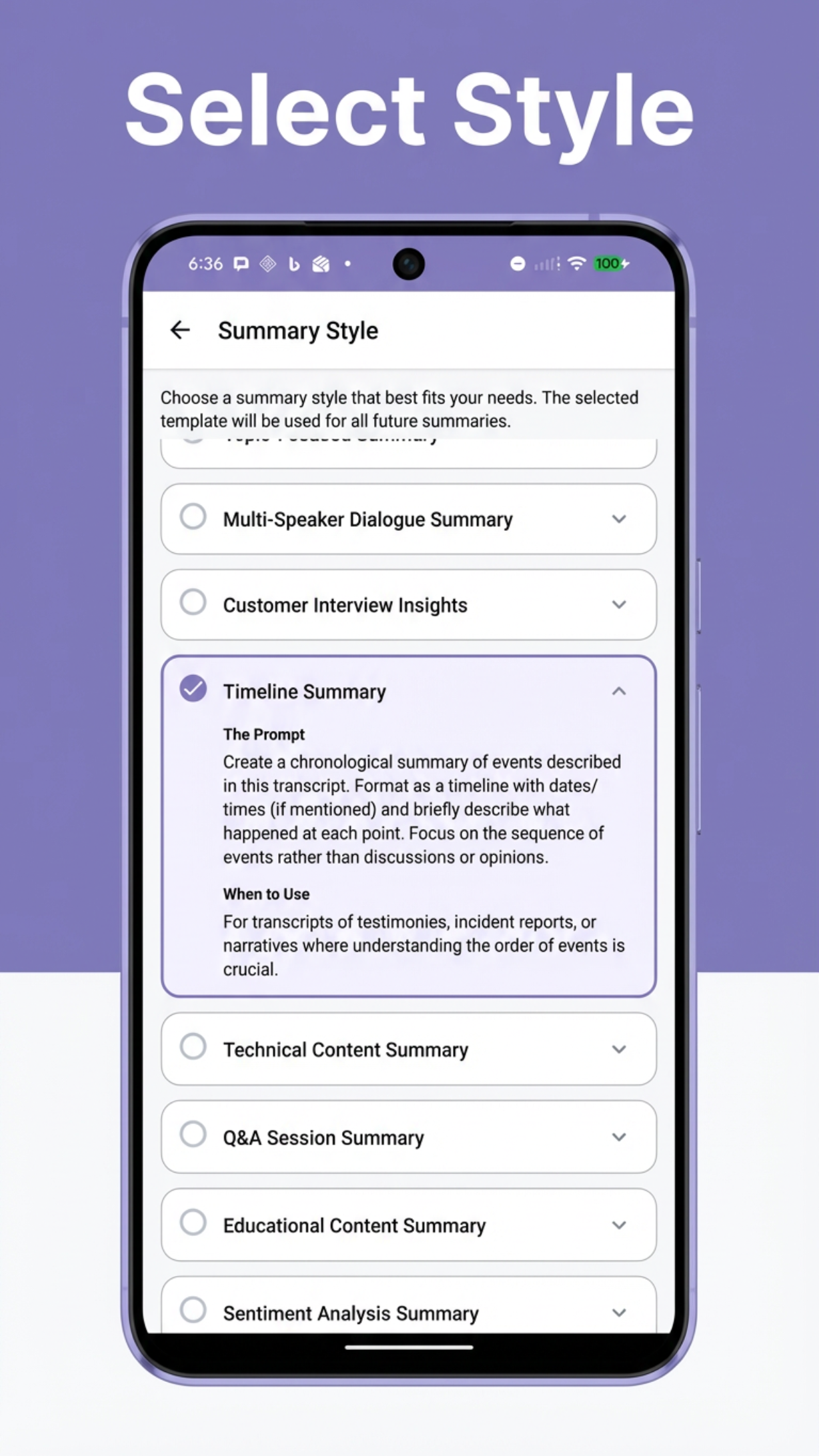
16 summary templates

Including Meeting Notes, Key Points & Takeaways, Executive Summary, Action Items, Q&A Session, Educational Content—plus more styles in-app. Custom prompts and summaries in your preferred language when online.

💬

Chat & playback

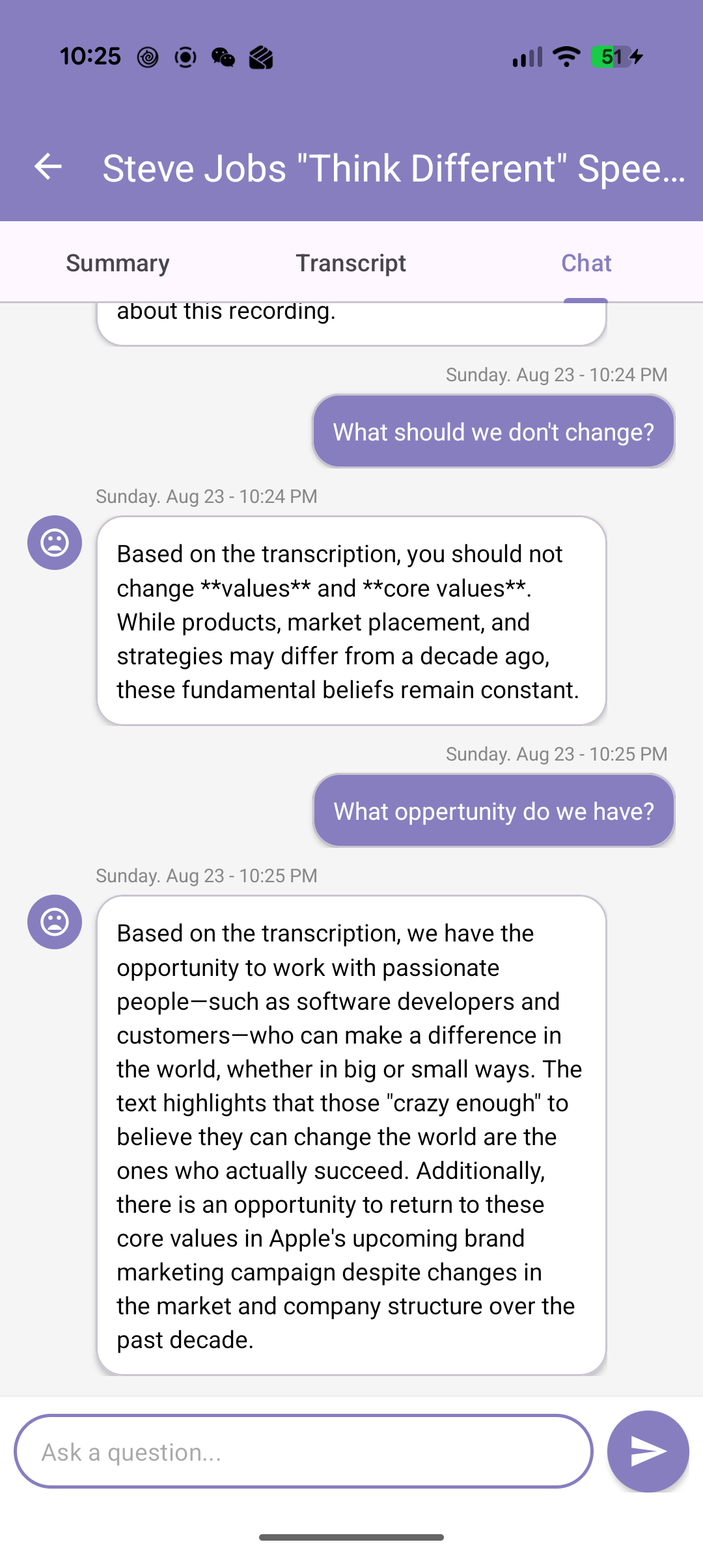
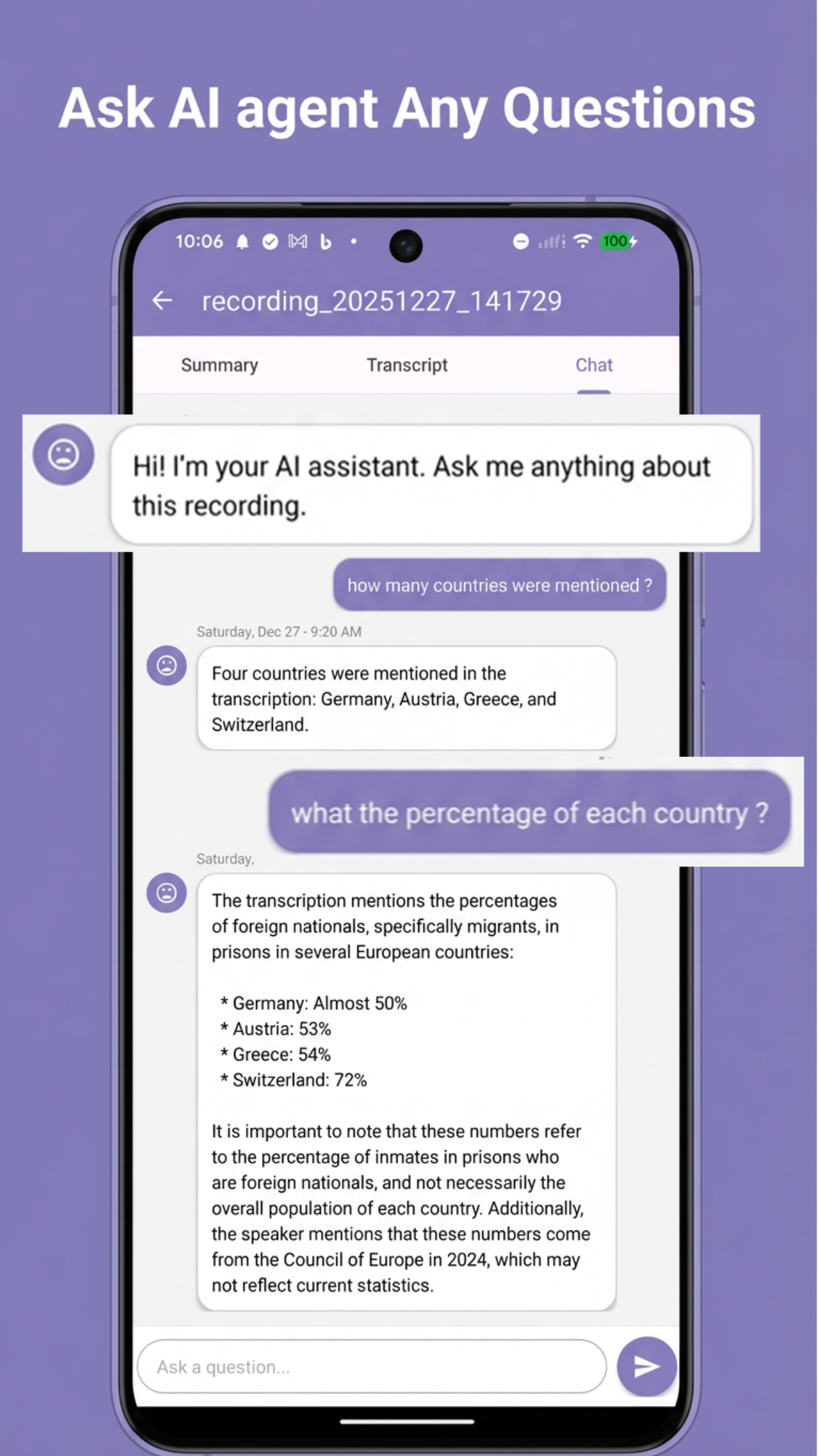
Ask questions about a recording; word highlighting during playback; speed 0.5×–2×; library search; easy sharing.

In-app purchases on the App Store include Nono AI Summary Weekly and Yearly (prices shown in your local storefront). Privacy: Privacy Policy · Terms: Terms of Service

Powerful Features That Set Us Apart

Experience the power of AI-driven voice transcription and intelligent summarization

🎯

One Tap, Complete Notes

Simply press record and let our AI do the heavy lifting. Get complete word-for-word transcription, intelligent summaries, and actionable insights instantly.

🔒

100% Private & Secure

Everything is processed directly on your device using advanced on-device AI. Your conversations never leave your phone—enterprise-level security without compromise.

Lightning-Fast Processing

Watch your words appear in real-time with our optimized AI processing. Faster transcription with remarkable accuracy across accents and languages.

🌍

Speak Any Language

Support for 99+ languages including English, Spanish, French, German, Chinese, Japanese, Korean, Arabic, Hindi, and many more.

📝

Real-Time Transcription

Watch your words come to life with typewriter-style display. See text appear word by word with instant visual confirmation of every syllable.

🎵

Synchronized Playback

Review recordings with intelligent audio player that highlights words as they're spoken. Jump to any point by tapping on a word.

📊

AI-Powered Summaries

Advanced AI extracts key topics, highlights decisions, summarizes discussions into digestible points, and organizes information logically.

💬

AI Chat Assistant

Ask questions about your recording! Our AI assistant has full context and can answer questions like "What were the main topics?" or "Find mentions of budget."

📤

Easy Sharing

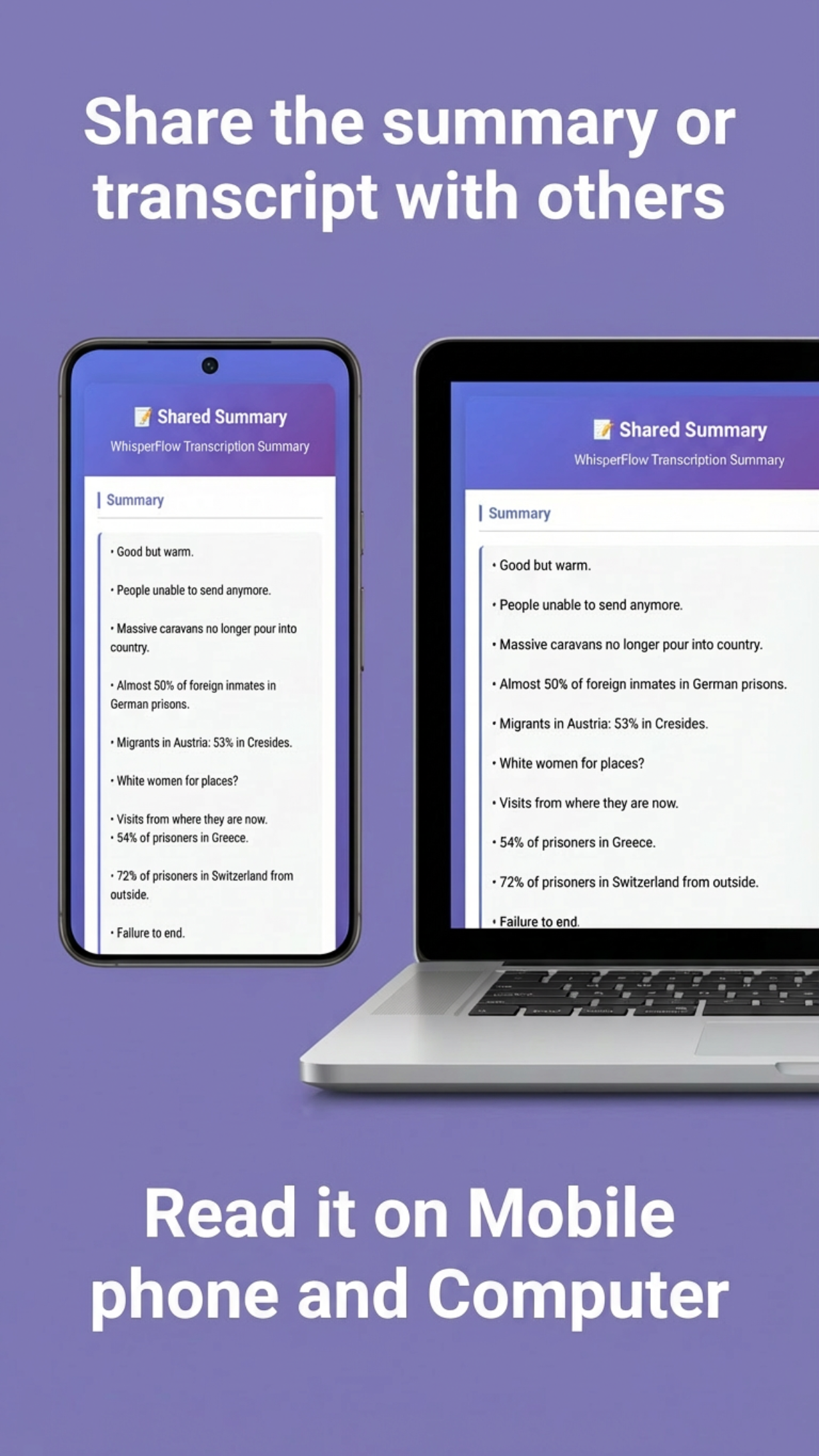
Generate shareable links, export via email or messaging apps, and send professional formatted HTML pages with a single tap.

See It In Action

Experience the beautiful interface and powerful features

Nono AI Recording Interface
Real-time Transcription
AI Summary Generation
Synchronized Playback
AI Chat Assistant
Multi-language Support
Recording Library

How It Works

Four simple steps to transform your voice into intelligent notes

1

Record

Tap the record button and start speaking. Our advanced audio engine captures crystal-clear audio while AI processes in real-time.

2

Transcribe

Watch as your words transform into text instantly. Whisper-powered AI achieves remarkable accuracy across accents and languages.

3

Summarize

AI analyzes the full context to generate intelligent summaries, extract key points, and identify action items automatically.

4

Review & Share

Play back with synchronized highlighting, edit summaries, and share with anyone via beautiful formatted pages.

Perfect For Every Situation

Whatever your profession, Nono AI helps you work smarter

📚

Students & Academics

Record lectures, get automatic study notes, never miss important points, and ask AI questions about lecture content.

💼

Business Professionals

Capture meeting details without taking notes, generate action items automatically, and share summaries with teams instantly.

👩‍⚕️

Healthcare Workers

Dictate patient notes efficiently, maintain accurate records, process notes securely on-device, and save hours of documentation time.

⚖️

Legal Professionals

Record client meetings, transcribe depositions, generate case note summaries, and maintain confidentiality with local processing.

🎙️

Content Creators & Journalists

Transcribe interviews for articles, capture podcast content for show notes, and speed up content creation workflow.

🏠

Personal Use

Record personal journals, capture family stories and memories, document important calls, and create organized voice memos.

What Our Users Say

Join thousands of satisfied users who've transformed their productivity

⭐⭐⭐⭐⭐

"A game-changer for my business meetings! I used to spend 30 minutes after every meeting writing up notes. Now Nono AI does it in seconds. The accuracy is incredible."

— Business Professional

⭐⭐⭐⭐⭐

"Finally, an app that respects my privacy. As a lawyer, client confidentiality is non-negotiable. The on-device processing gives me peace of mind."

— Legal Professional

⭐⭐⭐⭐⭐

"Perfect for lecture notes! I'm a medical student with hours of lectures. This app has cut my study prep time in half. I can focus on understanding instead of scribbling notes."

— Medical Student

⭐⭐⭐⭐⭐

"Worth every penny. I've tried many transcription apps, and this is by far the best. The AI chat feature is brilliant—I can ask questions about 2-hour meetings and get instant answers."

— Content Creator

Frequently Asked Questions

What is the official Nono AI Summary website?

The official marketing site is https://sopay.us/. For a single page with only official download links, use https://sopay.us/official.html. The app on the App Store is Nono AI Summary: Voice to Text by Butterfly AI LLC.

What AI summary features are listed on the App Store?

Apple’s listing describes 16 professional summary templates, including Meeting Notes, Key Points & Takeaways, Executive Summary, Action Items, Q&A Session, and Educational Content, plus custom prompts and summaries in your preferred language when you’re online.

How do transcription and privacy work?

The App Store description states on-device AI transcription powered by Whisper, working offline so your data stays private for transcription, plus Sign in with Apple. AI summaries and some features use cloud intelligence when connected—see the Privacy Policy.

What languages are supported?

The listing mentions 99+ languages, including English, Spanish, French, Chinese, Japanese, and more.

Can I chat with my recordings?

Yes. The App Store describes a chat feature to ask questions about your recorded content and get answers based on your transcription—helpful for meetings or lectures.

Where are privacy policy and terms?

Linked from the App Store: Privacy Policy and Terms of Service.

Transform Your Voice Into Notes Today

Join thousands of professionals, students, and creators who save hours every week

✓ Free trial available    ✓ No credit card required    ✓ Cancel anytime